

Product Overview
Everything your team needs to run a consistent Marketplace operation.
Market Post Pro is two things working together: a Chrome extension that lives alongside your inventory pages, and a web platform where managers track what's been posted, what's overdue, and who's doing the work.
Chrome Extension
The extension does the heavy lifting.
The Chrome extension is where reps spend most of their time. It's designed to be fast, accurate, and completely non-disruptive to their existing workflow.
Persistent side panel
The extension opens as a side panel alongside any dealership website. Your rep never has to leave the vehicle page or switch tabs.
One-click vehicle scrape
Click Scrape This Vehicle and the extension reads the page: year, make, model, trim, price, mileage, colours, VIN, body style, transmission, fuel type, and more. All in under 3 seconds.
AI-generated descriptions
One click generates a natural-sounding, listing-ready description. No templates, no robotic output. Copy that reads like your best salesperson wrote it.
Automatic photo upload
Photos are fetched directly from the vehicle page and loaded into Facebook's form automatically. No downloading, no dragging, no manual uploads.
Complete Marketplace autofill
Every Facebook Marketplace field is filled accurately: vehicle type, year, make, model, trim, price, mileage, body style, condition, colours, transmission, fuel type, drivetrain, VIN, and description.
Works on any dealer platform
The extension reads directly from your live inventory pages. No integration required. Compatible with all major dealer website platforms.
See it in action
What the product looks like in real use.
Real screenshots from active dealership workflows. No mockups, no staged data.
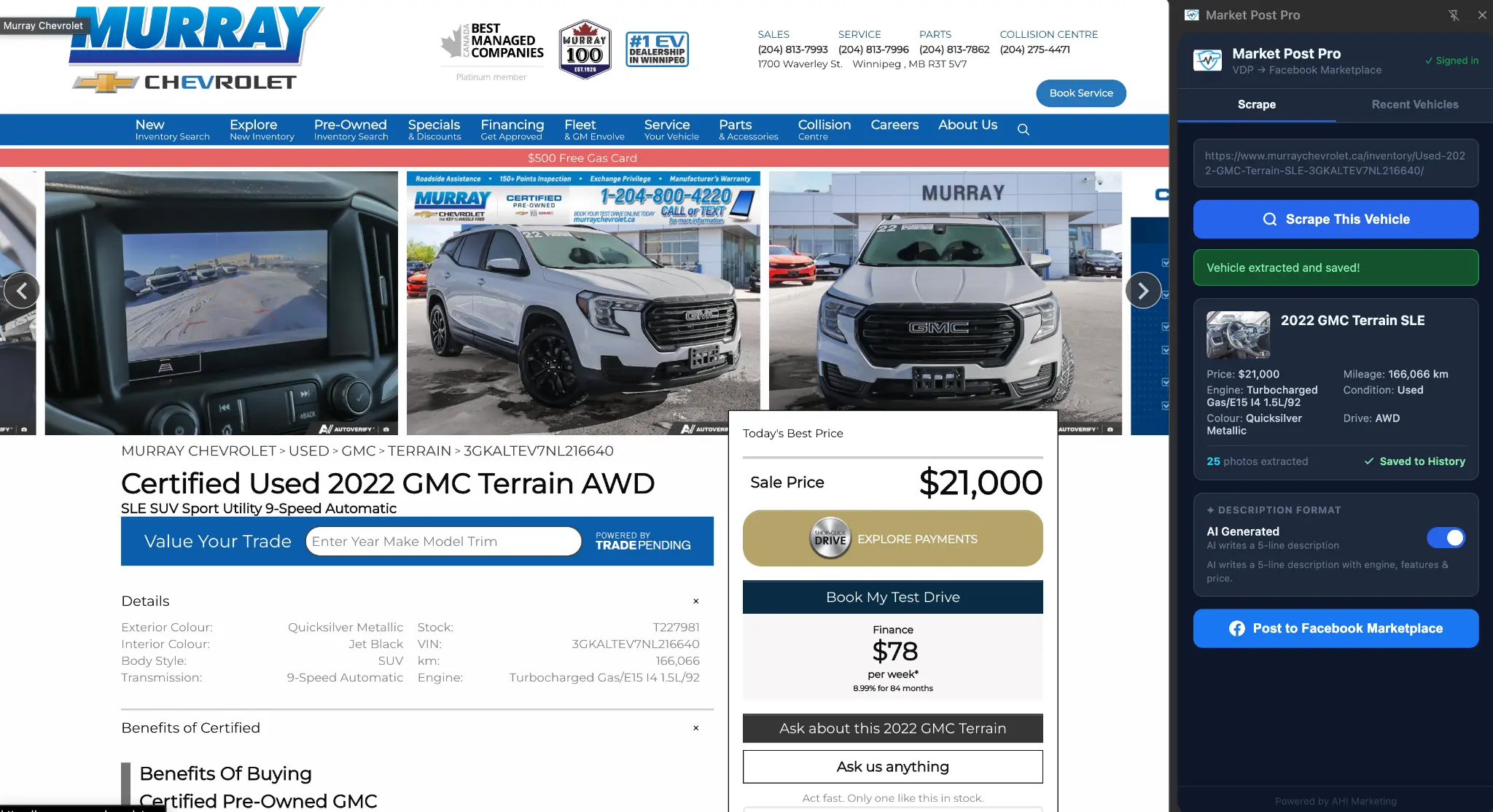
Step 1: Scrape the vehicle page
The extension reads the live inventory page and extracts all vehicle details in under 3 seconds. No copy-pasting.
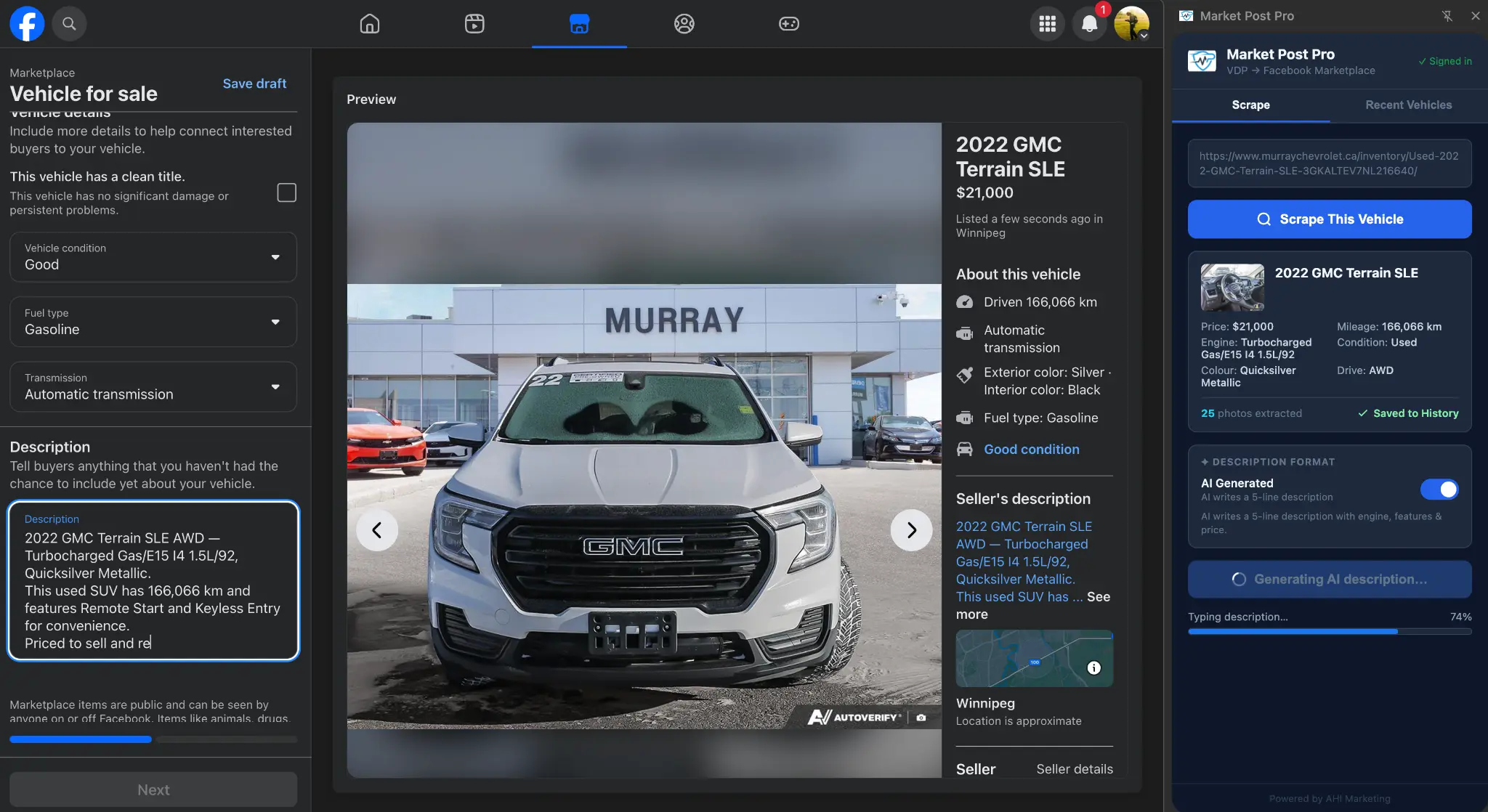
Step 2: Post to Facebook Marketplace
Every field filled automatically. AI description generating in real time. You review the completed form and hit Publish.
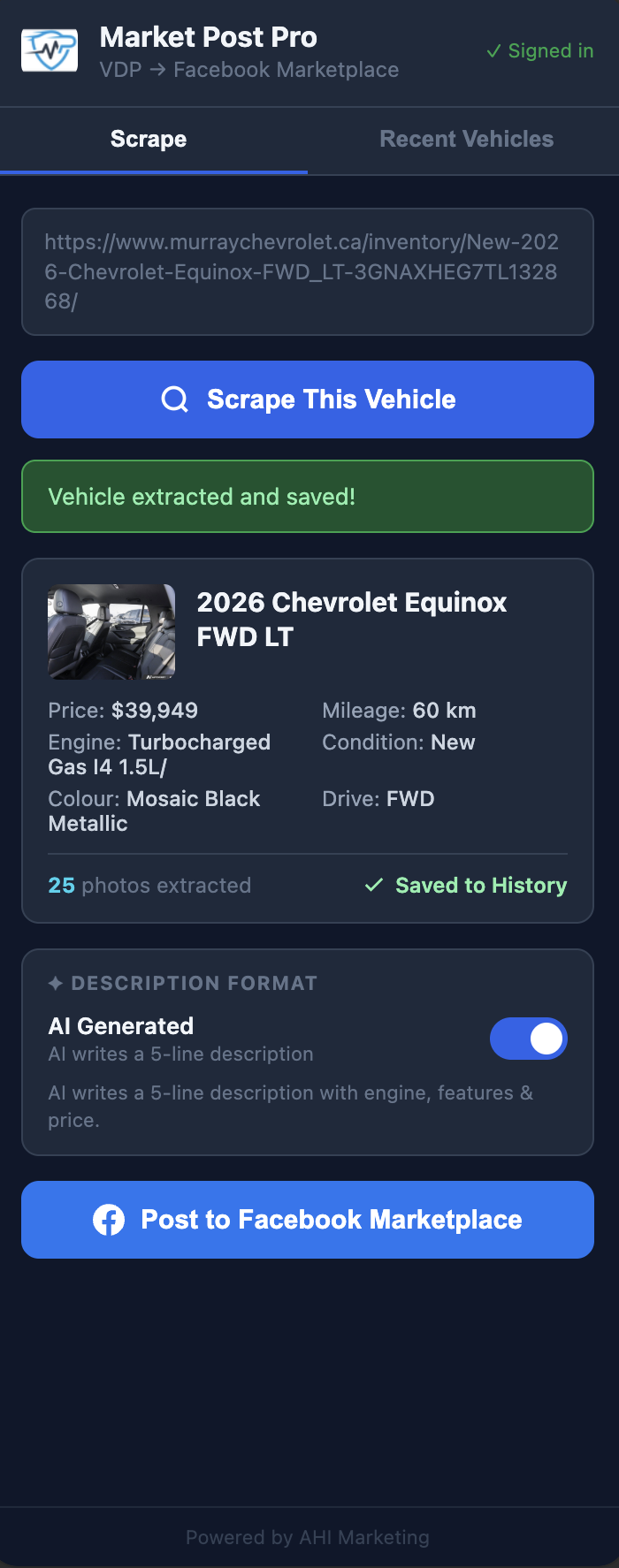
The extension side panel
Lives alongside your inventory page. Scrape, review, and post without leaving the vehicle page.
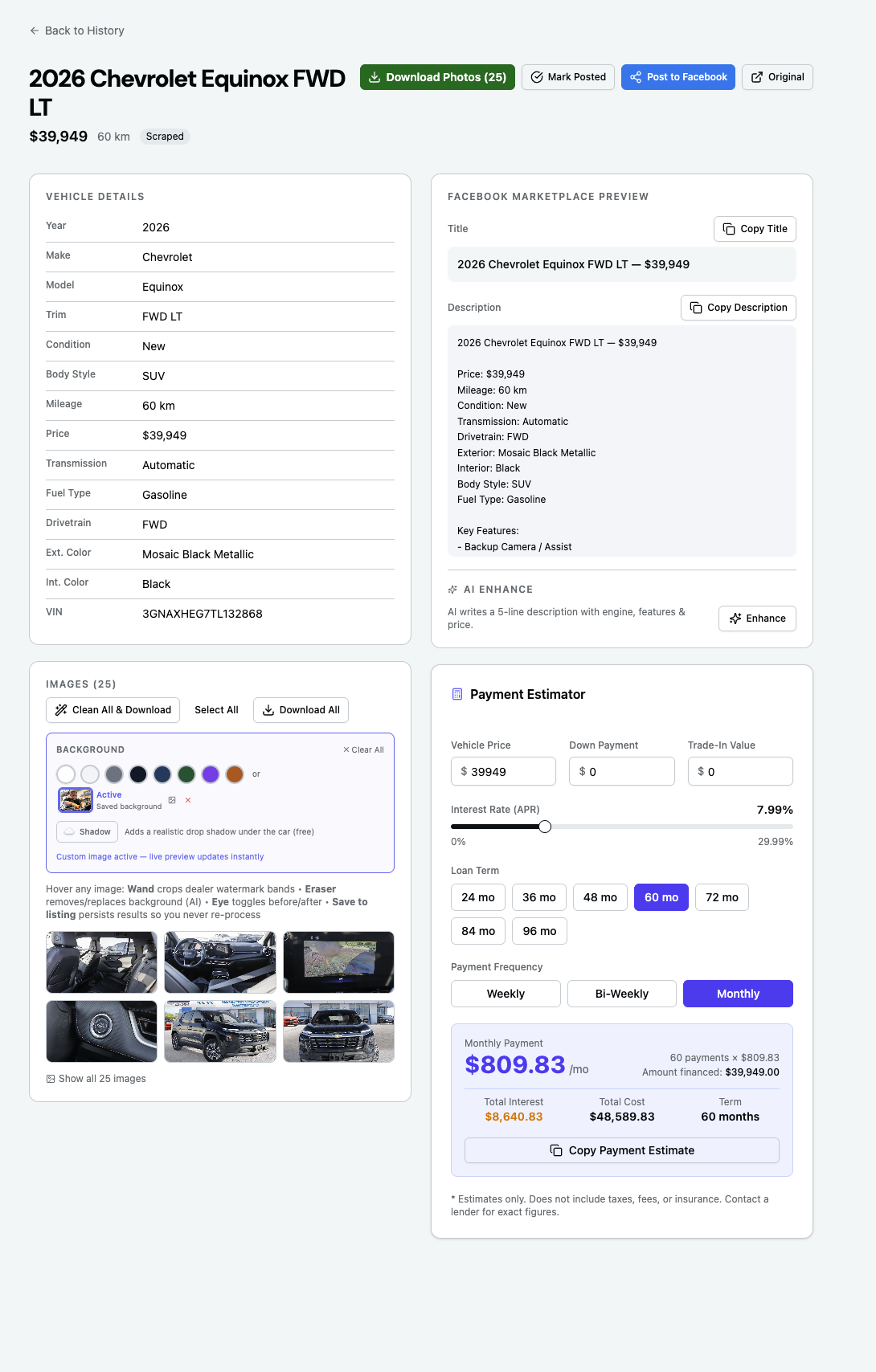
Full vehicle detail view
Review all scraped fields, see the Facebook Marketplace preview, and check the payment estimator before posting.
Web Platform
The platform gives managers visibility and control.
Beyond the extension, the web platform is where your team's Marketplace operation gets structured. Pipeline tracking, team management, and activity visibility all in one place.
Multi-rep team management
Every rep has their own account and posts under their own identity. Managers can see all rep activity in real time from a single portal.
Pipeline tracking
Every vehicle moves through a pipeline: scraped → enhanced → posted → sold. Managers see the full picture across the entire team at a glance.
Access control
New reps request access and managers approve them. You control who's on your team and what they can do.
Relist reminders
Facebook Marketplace listings expire. Market Post Pro tracks when each listing was posted and alerts reps when it's time to renew.
Complete autofill
Every Facebook Marketplace field. Every time.
Most tools fill a few fields and leave the rest to the rep. Market Post Pro fills all 16 fields that Facebook Marketplace requires for a vehicle listing. Accurately and consistently, every single time.
No skipped fields. No mismatched values. No listings that look incomplete because a rep was in a hurry.
See it working on your inventory.
Book a demo and we'll walk through the full workflow using your actual dealership's vehicle pages.
Book a Demo